Merge duplicate clients
If a client is in Preen twice, merge the two records into one. Preen lists clients who look like the same person, which usually happens after an import. Owners and managers can do this on the web.
What's included
- Changing to Free never blocks redeeming or refunding a voucher already sold, completing or refunding payments already started, checking out a booking with money attached, or reading and exporting existing receipts and completed client records.
Find possible duplicates
- Open Clients and choose Possible duplicates. The number next to it is how many groups Preen found.
- Each group says why Preen matched them: Same email, Same phone, Same name and phone or Same name and date of birth.
Preen only pairs records that share an email, a mobile number, or a name with a mobile number or date of birth. Two clients who only share a name are not listed. A mobile number or email that is on more than five clients is ignored, because it is probably a placeholder.
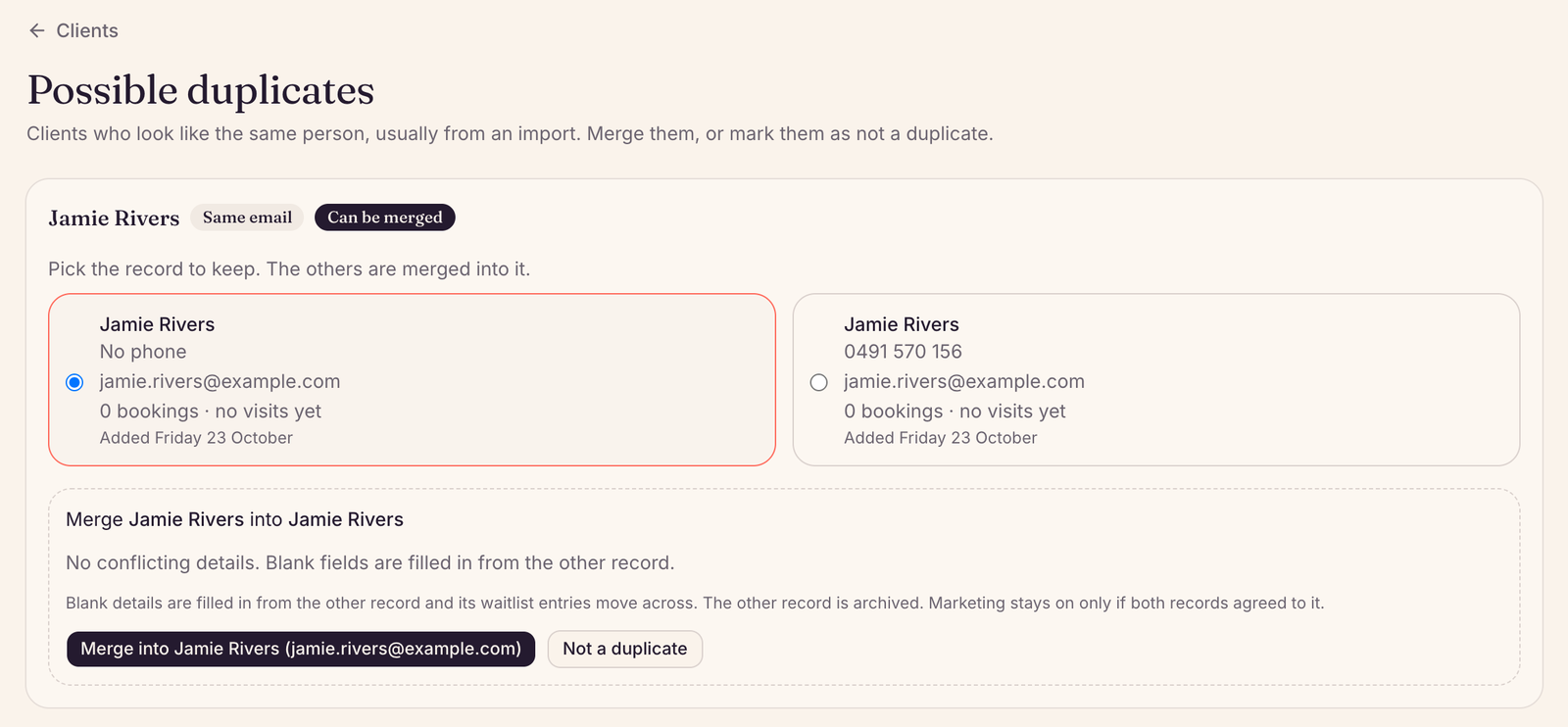
Merge them
- Pick the record to keep. The others are merged into it.
- Where the records have different details, such as two emails, choose which one to keep. For notes, you can keep both.
- Choose the Merge into button, which names the record you are keeping, then choose Yes, merge.
Blank details are filled in from the other record, and its waitlist entries move across. The other record is archived. If they are two different people, choose Not a duplicate and Preen stops listing them as a pair.
When Preen cannot merge them
- Preen only merges away a record that has no history of its own, such as bookings, confirmation requests, visit notes, form answers, marketing consent or saved Policies & billing settings. Neither record can have any money history, such as a sale, a payment in progress, a deposit, a fee or a saved card (even a removed one). A record linked to a client’s Preen account can only be merged into a record linked to that same account. The page may offer Merge and then say it cannot. The notes written on the client record itself can be kept from either or both. Preen starts with the record the others can be merged into.
- If a pair cannot be merged, Preen says so. To combine them, email support@preen.au. A group where no pair can be merged shows Needs support to merge.
Still stuck? Email support@preen.au, or see every guide.
Checked against Preen on .