Refund a sale
How you give money back depends on how the client paid. Preen can send money back to a card it took, but that is being switched on business by business. Cash, vouchers and cards taken on another reader are given back outside Preen.
What's included
- Changing to Free never blocks redeeming or refunding a voucher already sold, completing or refunding payments already started, checking out a booking with money attached, or reading and exporting existing receipts and completed client records.
- Free includes client emails. Monthly client texts: Solo 100, Studio 300, Growth 750, Scale 1000. Long texts count as more than one text. Confirmations default to email and reminders to text for new businesses. Your saved choices stay as they are. The allowance follows your business timezone. At the limit, the same notice uses email when available. Without an email, Messages shows not sent: plan text limit. Settings shows the texts used and left this month, with notices at 75%, 90% and when they run out. If your business pays Preen by card, extra texts can keep going past the monthly number at 10c each including GST, up to a monthly limit you set in Settings ($20 unless you change it), added to your next invoice. Past the limit, or with extra texts off, the email rule above applies.
Find the sale
- On the web, open Checkout and choose Sales history.
- Choose the sale. Its receipt opens, with the actions at the top.
In the Preen app, owners and managers can open a sale from the takings on the Sales tab. Voids are done on the web.
Refund a card payment Preen took
This covers a saved card, a deposit paid when the client booked, and Tap to Pay on iPhone. Refund to card is being switched on business by business. If you see Refund to card on the sale, it is on for your business:
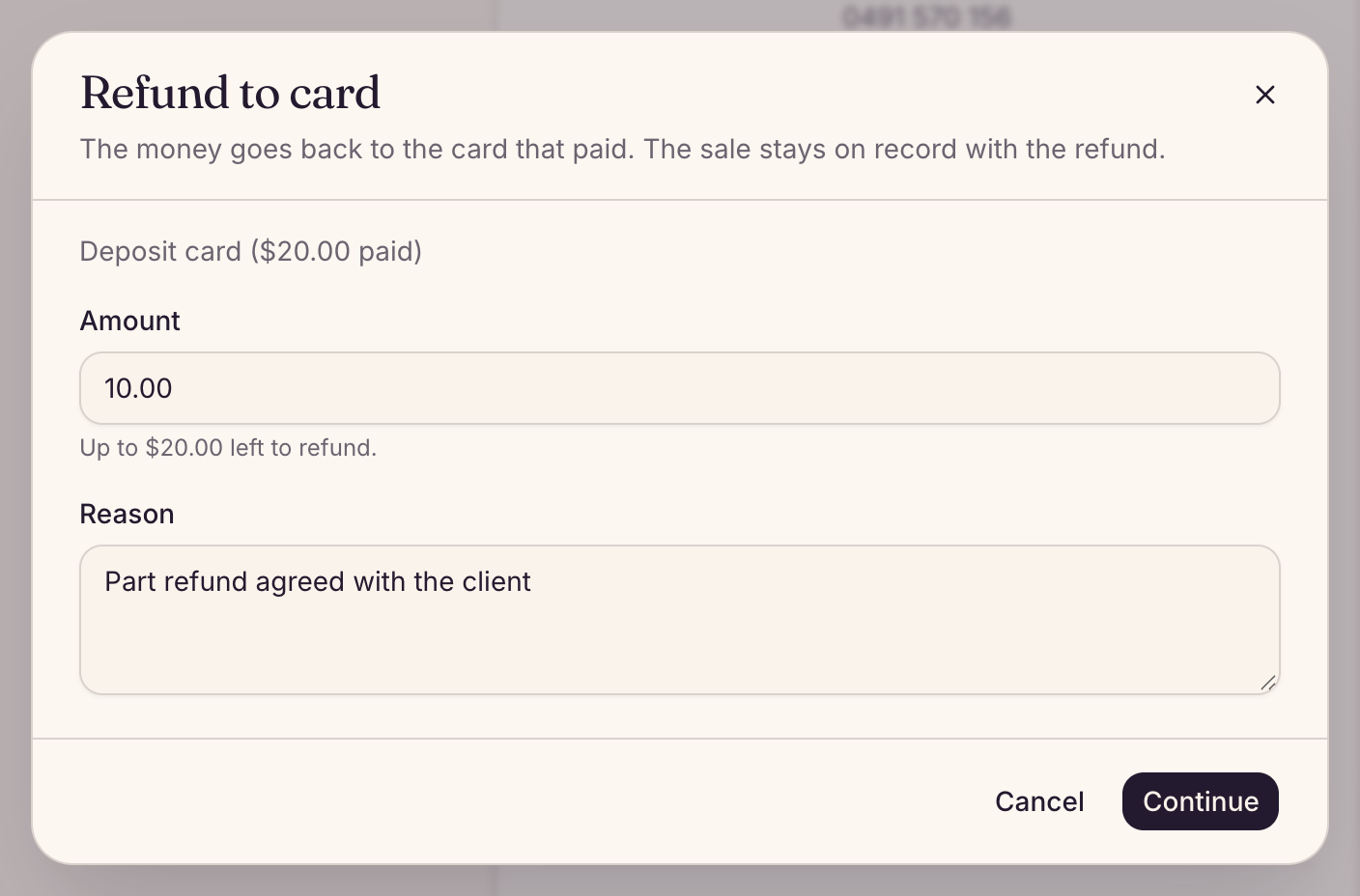
- Choose Refund to card. If the sale was paid by more than one card, pick the Card payment. Each one is named for how it was taken, with the amount paid: Card on file for a card charged at checkout, Deposit card or Tap to Pay card.
- Enter the Amount. You can refund part of a saved card or deposit payment. A Tap to Pay payment can only be refunded in full for now.
- Add a Reason and choose Continue.
- Check the amount and choose the Refund button, which shows the amount, such as Refund $40. The money goes back to the card that paid. It usually reaches the client in 5 to 10 business days, and a refund cannot be undone.
Owners and managers can refund. In the Preen app, open the sale from the Sales tab and tap Refund to card. For a sale paid partly in cash and partly by Tap to Pay, refund the card part through Preen and return any cash separately. Refunding the card does not return the cash. Once the card refund is confirmed, the sale stays in takings with that refund taken off. If Preen asks you to check it, open Payment review in Settings on the web.
If you do not see Refund to card
If you are an owner or manager and a sale paid by card through Preen has no Refund to card, check the sale’s Refunds section for the reason. The payment may already be refunded, still being checked, or refunds may not be on for your business yet. Paying partly in cash does not stop the Tap to Pay part being refunded. If a card refund needs a check, open Payment review in Settings on the web and follow the instructions there. If you still cannot refund it, email support@preen.au with the sale and the amount. Preen will not let you void a sale paid by card through Preen yourself, because voiding does not send the money back.
Cash, gift voucher, bank transfer or a card taken on another reader
- No money moved through Preen, so give it back outside Preen: from your till, your bank, or the reader you took the card on.
- If the sale used cash and Tap to Pay, refund the card part through Refund to card and return the cash separately. Preen does not return or record the cash refund. Keep your own note of the cash you returned.
- If none of the payments was taken by card through Preen and you gave the whole sale back, an owner or manager can choose Void on the sale, add a Reason and choose Void sale. The sale stays on record, crossed through, and is no longer counted in your reports.
- Preen cannot record part of a cash, voucher or other refund. Keep your own note of it.
- A voided sale no longer counts as paid, so the visit can be checked out again if you need to (check out a client).
Still stuck? Email support@preen.au, or see every guide.
Checked against Preen on .